PRODUCT DOCUMENTATION
Get started with audio uploads & recording history.
Connect storage and the worker
For self-hosting, configure a private S3-compatible bucket through STORAGE_ENDPOINT, STORAGE_BUCKET, and server-only access credentials. Run the storage worker alongside the API and allow your dashboard origin in the bucket’s upload CORS settings.
Upload through the dashboard
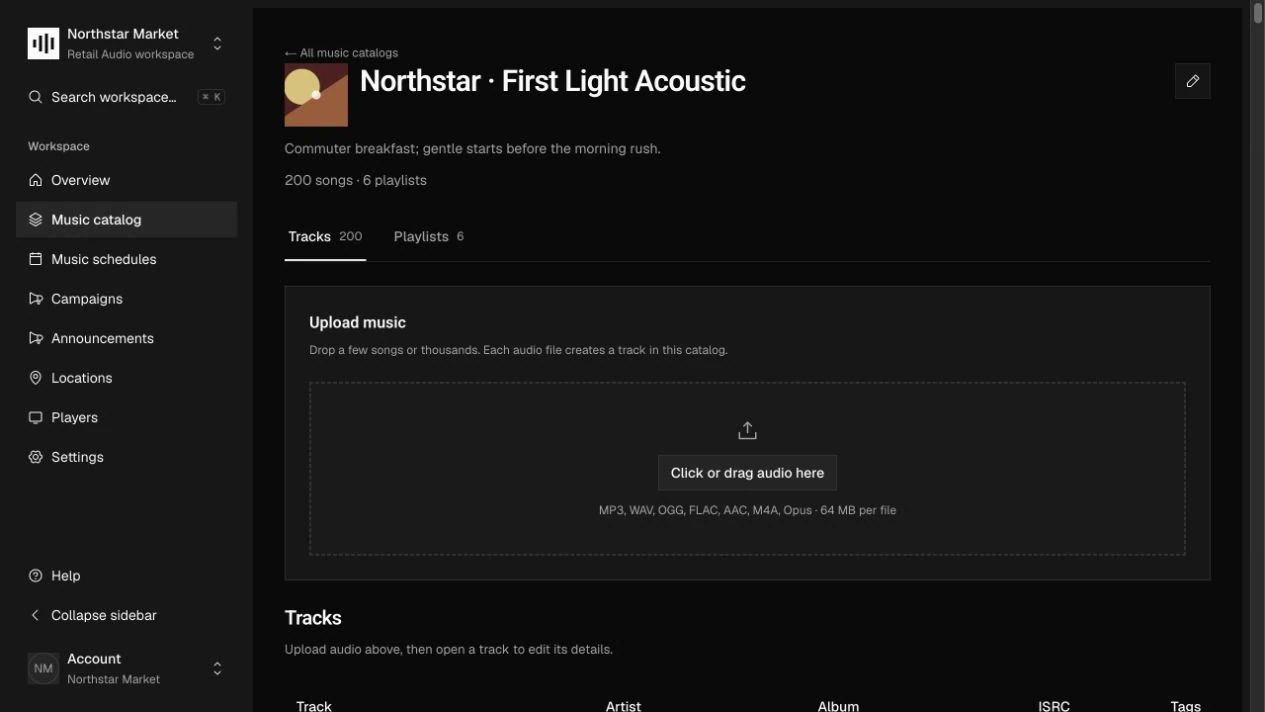
Open a track in Music catalog, or an item in Campaigns or Announcements, and upload audio. The dashboard requests a temporary upload URL and sends the file directly to object storage.
Wait for verified audio
Completion queues background processing. The worker checks the actual container and streams, extracts duration and audio metadata, and calculates a SHA-256 checksum. A ready upload supplies the fileId used by the recording.
Keep revisions traceable
Upload a new recording version when audio changes. For an API integration, complete the upload, poll its state until ready, and attach the fileId through the item’s versions endpoint. Do not reuse a signed URL as a permanent file address.
How it works.
Accepted audio
The worker accepts MP3, WAV, OGG with Vorbis or Opus, FLAC, and AAC including M4A, up to 64 MiB and 24 hours. It inspects actual contents rather than trusting the declared MIME type, and rejects unsupported video or data streams.
Versioning and deduplication
Verified files and recording versions are immutable. Identical verified output is deduplicated within an account. Private object keys use the persistent account identity; different accounts retain independent registries and storage prefixes.
Temporary access and cleanup
Upload sessions expire after ten minutes. Authorized content requests redirect to signed downloads lasting fifteen minutes. Background maintenance removes abandoned staging objects and collects eligible, unreferenced files after a retention period of at least 24 hours.
Work through the API.
The same workflow is available through the core HTTP API. Paths below are relative to your core API origin. Your installation serves the full request and response schemas at /docs/ and /openapi.json.
| Method | Endpoint | Purpose |
|---|---|---|
POST | /v1/storage/uploads | Request a signed upload URL with filename, type, size, and profile. |
POST | /v1/storage/uploads/{id}/complete | Verify the uploaded size and queue processing once. |
GET | /v1/storage/uploads/{id} | Poll processing status and retrieve the ready fileId. |
GET | /v1/storage/files/{id}/content | Authorize a download and redirect to private object storage. |
Things to know.
- Keep bucket credentials on the server. Send only the returned signed headers with the raw upload; never forward the application credential to object storage.
- Player tokens use the sync file-authorization flow, not the management storage API. Offline caching and playback remain responsibilities of a player implementation.