PRODUCT DOCUMENTATION
Get started with player management & sync.
Prepare the destination
Create an active location and audio zone under Locations, then assign its music schedule and messaging rules. Pairing requires an active zone so every approved device has a defined destination.
Start pairing on the device
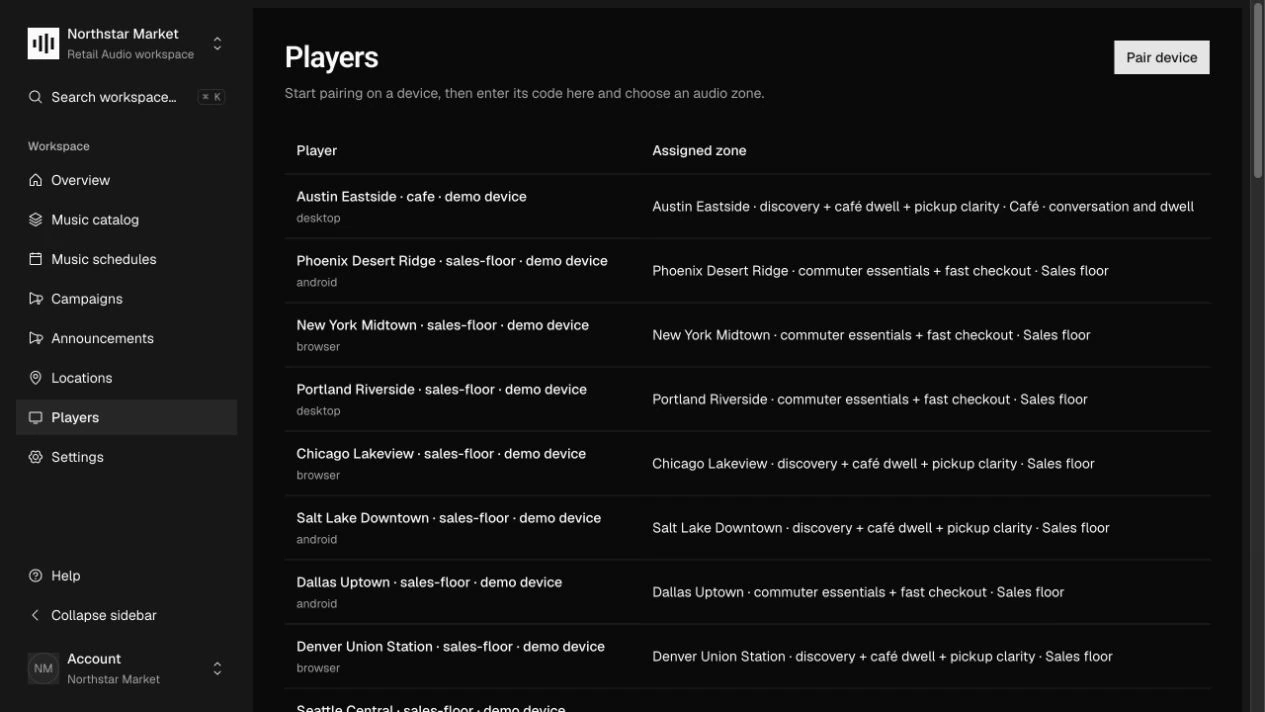
A player integration requests OAuth device authorization and displays a pairing code or verification link. In Players, choose Pair device and enter that code. Review the reported device name and platform before continuing.
Approve the assignment
Choose the Audio zone and a recognizable Player name, then select Authorize device. The player receives its own access and refresh tokens; do not put your account administrator credential on the device.
Inspect reports and manage access
Open the player to inspect Latest device report and Recent device events. Reassign its zone when moving the hardware. Revoke access when retiring a device; a revoked player must pair again to regain authorization.
How it works.
A complete, immutable plan
Sync v1 contains resolved account, zone, location, music, campaign, and announcement data. A content hash identifies the snapshot, and file descriptors include hashes and sizes. Players validate the plan and downloaded bytes before activation.
Status is reported evidence
Online means a status report arrived within 90 seconds. A successful pairing alone is not evidence of playback. Events identify the snapshot and exact file, and identical event retries are acknowledged without duplicate ingestion.
Reassignment and revocation
Reassignment changes the desired zone. The player contract requires stopping the previous zone’s audio before preparing the replacement. Revocation rejects further authorized requests; it cannot erase audio already cached on an offline device.
Work through the API.
The same workflow is available through the core HTTP API. Paths below are relative to your core API origin. Your installation serves the full request and response schemas at /docs/ and /openapi.json.
| Method | Endpoint | Purpose |
|---|---|---|
POST | /v1/players/pairings/authorize | Approve a reviewed pairing code and assign its zone. |
PATCH | /v1/players/{id} | Rename, reassign, or revoke a managed player. |
GET | /v1/sync | Discover desired programming using a player access token. |
GET | /v1/players/{id}/logs | Inspect recent reported device events as an administrator. |
Things to know.
- Pairing, snapshot compilation, delivery, and report ingestion are implemented. Native/browser playback engines, local scheduling, and offline runtime remain player-application work.
- Administrator and player credentials have different permissions. Use HTTPS outside local development and keep tokens and temporary download URLs out of logs.