PRODUCT DOCUMENTATION
Get started with timed announcements.
Create the announcement
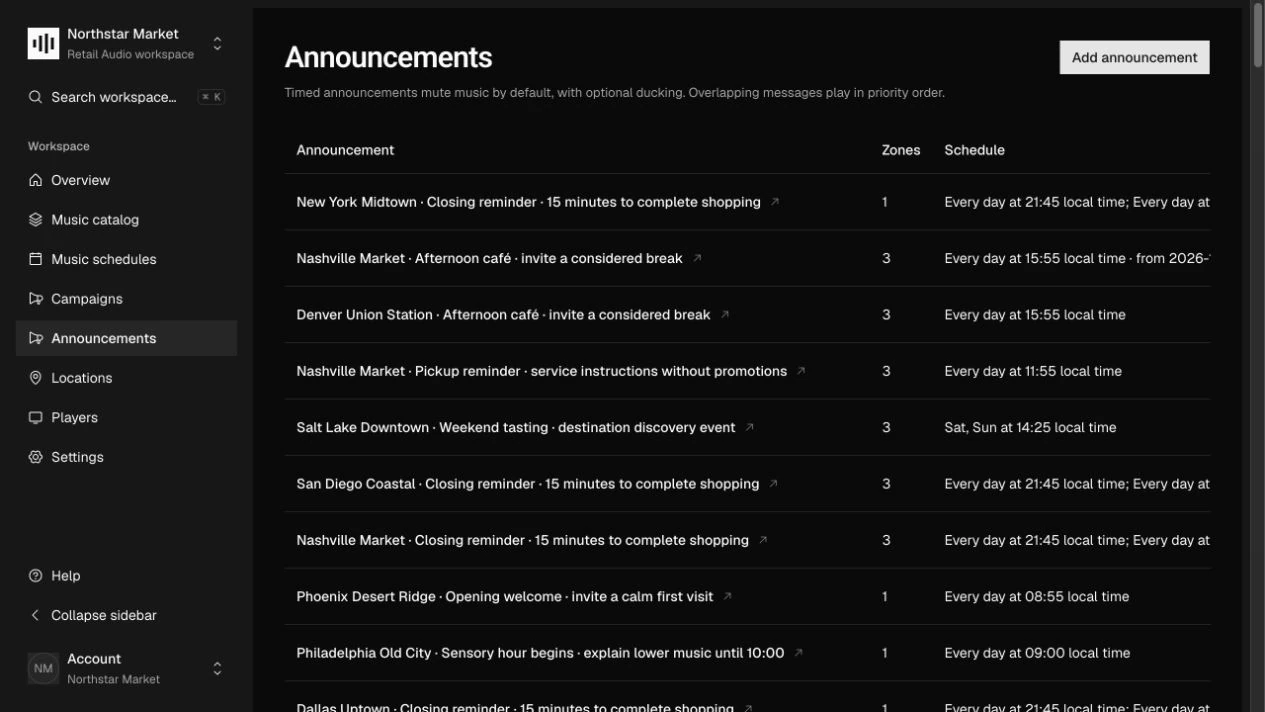
Open Announcements and add a named announcement. Upload its audio and wait for processing to finish. Set its priority and active dates; the announcement keeps its own recording history even if it reuses an existing audio file.
Choose its audience and time
Under Announcement schedules, choose Add announcement schedule. Select zones or Match by tags, choose dates and weekdays, and set the local time plus the maximum lateness allowed for that occurrence.
Save and publish
Choose Save announcement schedules, then Publish announcement. A recording and at least one schedule are required. Resolve any published announcement conflict before retrying; duration matters as well as start time.
Set the voice and music balance
In Settings → Audio, adjust Announcement gain (dB) and Music reduction during announcements (dB). A zone can override those values. Review Timed announcements in zone details to see the messages targeting that space.
How it works.
Conflict checks
Published schedules are checked for overlapping audio on shared active zones, dates, and weekdays, including recordings that continue across midnight. A different start time alone does not guarantee that two messages fit.
Ducking and rotation
The playback contract keeps music running beneath the announcement at the configured attenuation, then restores it. Announcements do not reset campaign cadence, and a campaign Off window does not disable them.
Lateness and missed occurrences
Maximum lateness bounds how late a message may start; it does not guarantee playback. The player must respect date windows and airtime limits, skip expired occurrences, and avoid building a backlog after reconnecting.
Work through the API.
The same workflow is available through the core HTTP API. Paths below are relative to your core API origin. Your installation serves the full request and response schemas at /docs/ and /openapi.json.
| Method | Endpoint | Purpose |
|---|---|---|
POST | /v1/announcements | Create an announcement with its own content lifecycle. |
PUT | /v1/announcements/{id}/schedules | Replace its full set of targeted local-time schedules. |
POST | /v1/announcements/{id}/versions | Attach a new immutable audio recording using fileId. |
PATCH | /v1/announcements/{id} | Update details or change publication status. |
Things to know.
- Pause an announcement before removing its last schedule. Publishing requires validated audio and a saved schedule.
- Authoring and conflict validation are implemented. Exact audible timing and ducking require a player implementing the sync v1 contract.