PRODUCT DOCUMENTATION
Get started with weekly music schedules.
Prepare a playlist
Create a playlist in Music catalog before adding time slots. A schedule can use playlists from different available catalogs, so you can combine dayparts without moving recordings into a single library.
Build the week
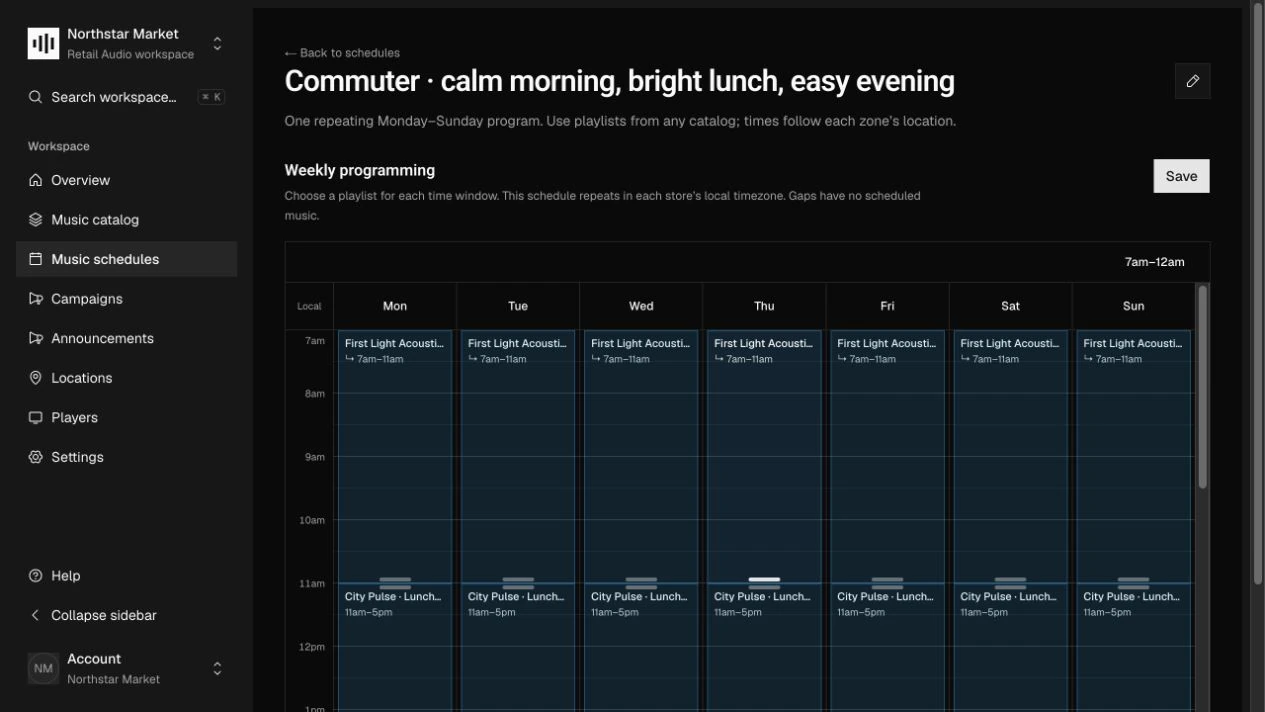
Open Music schedules and create or open a schedule. In Weekly programming, choose Add time slot, select the weekday and start/end times, and choose its Playlist. Drag slots or copy them to other weekdays as needed.
Choose the transition and save
Set Transition for each slot to an exact-time change or an end-of-track transition. Choose Save weekly schedule. Overlapping slots are rejected, so resolve competing time windows before saving again.
Assign it to a zone
Open Locations, select a location and audio zone, then find Weekly music schedule. Set Selected schedule and choose Save zone schedule. Each zone selects one weekly schedule; several zones can share it.
How it works.
Local time and overnight hours
Schedules repeat Monday through Sunday in the location’s IANA timezone. Each slot stays within one day. For Monday 22:00 to Tuesday 02:00, create Monday 22:00–24:00 and Tuesday 00:00–02:00 separately.
Gaps and boundaries
A slot includes its start and excludes its end. Gaps have no scheduled music. Use 00:00–24:00 for a full day, and review the entire week before assigning a schedule to stores.
Delivery to players
The server compiles the selected playlists into a static weekly music sequence. Players receive that resolved plan through sync instead of rebuilding playlists or choosing substitute tracks locally.
Work through the API.
The same workflow is available through the core HTTP API. Paths below are relative to your core API origin. Your installation serves the full request and response schemas at /docs/ and /openapi.json.
| Method | Endpoint | Purpose |
|---|---|---|
POST | /v1/music/schedules | Create a reusable weekly music schedule. |
PUT | /v1/music/schedules/{id}/slots | Replace and validate the complete set of weekly slots. |
PATCH | /v1/zones/{id} | Assign a schedule using musicScheduleId, or clear it with null. |
Things to know.
- Management API weekdays are 0–6, beginning Monday; the compiled player contract uses ISO weekdays 1–7.
- Schedule authoring and compilation are implemented. Audible transitions and clock handling are responsibilities of the player engine.